











Price: $13.99 - $11.99
(as of Aug 22, 2025 18:17:11 UTC – Details)
Product description
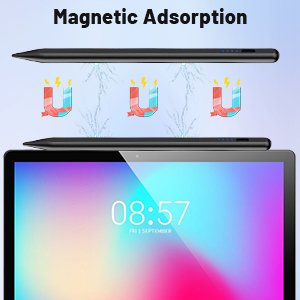
Magnetic Adsorption Function
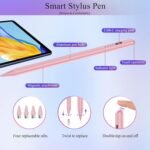
The surface of the stylus pen has a magnetic adsorption function, which can be firmly attached to the side of your tablet device, the magnetic adsorption function makes the stylus more portable and less likely to be lost, reducing the possibility of looking for the pen.
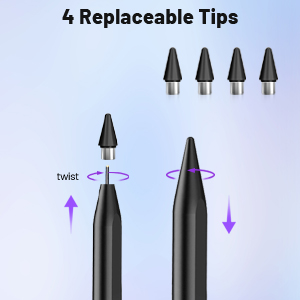
Replaceable Tips
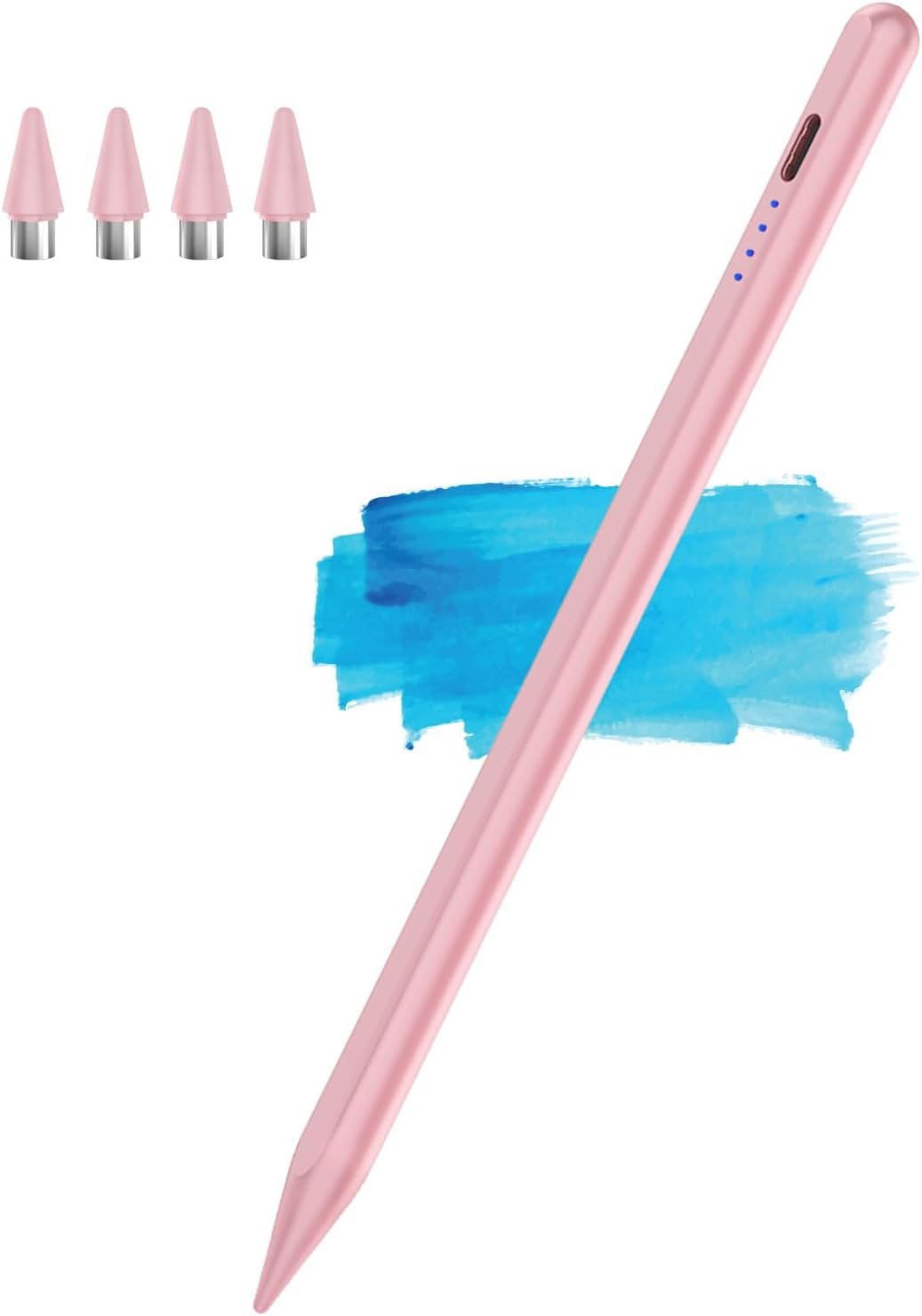
When the original nib is worn out and unusable, twist the nib to install a replacement nib for normal use.
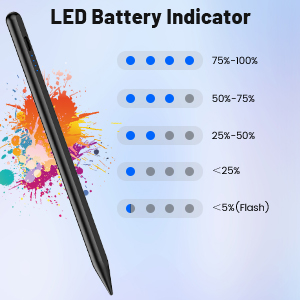
Battery Indicator
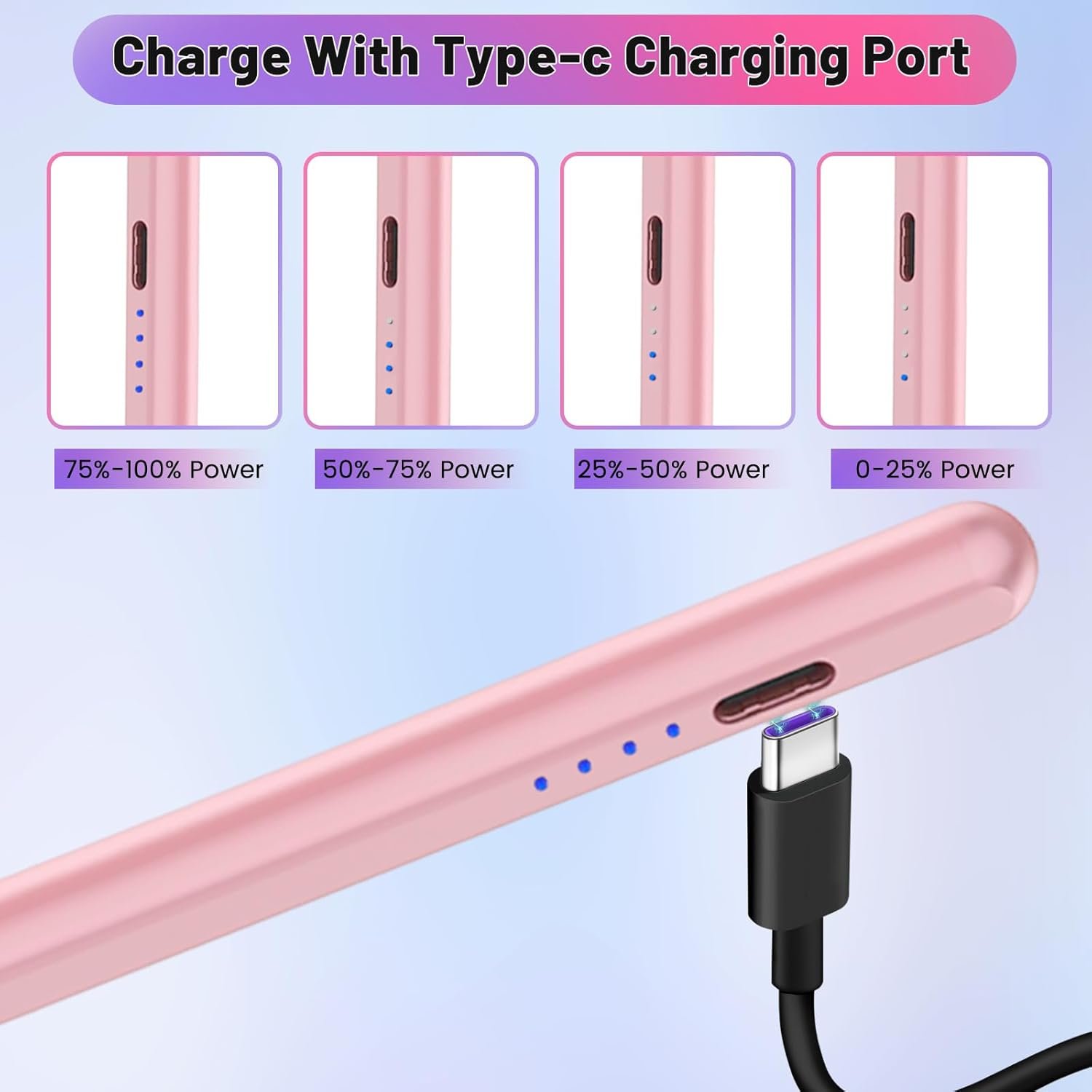
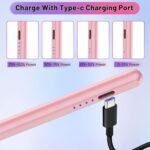
Divided into four level, every 25% flash a bright blue light, if only a blue light, please charge in time.
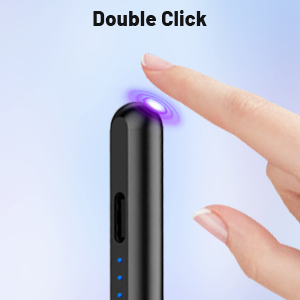
Double-click Switch
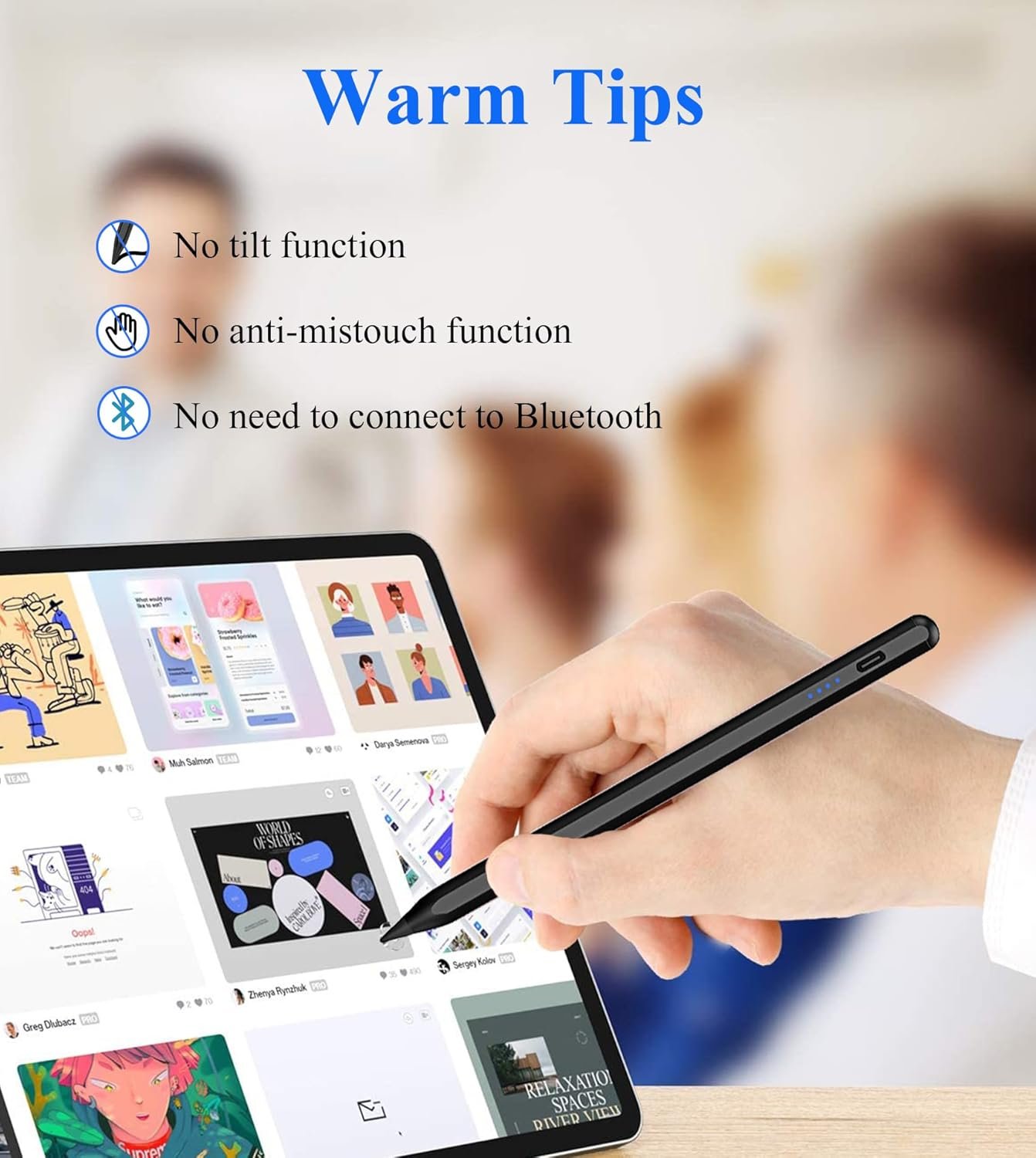
Double click the top of the pen can be used on the device, does not have Bluetooth connectivity, no need to connect Bluetooth.
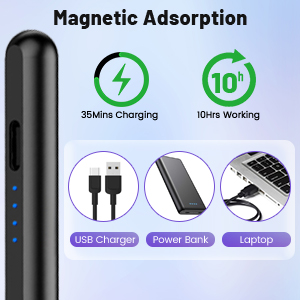
Fast Charging & Long Lasting Battery
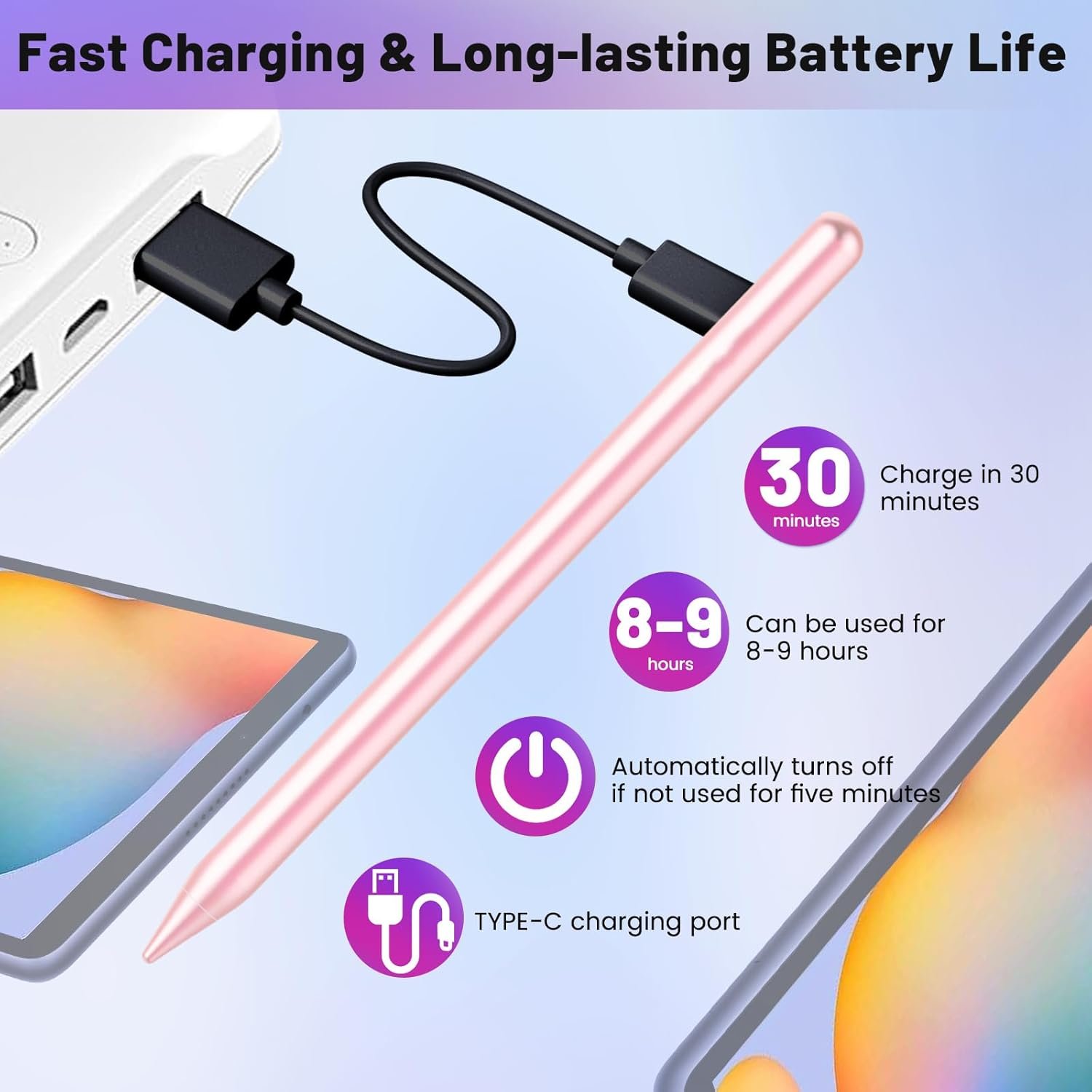
Half an hour of charging time can be used up to about 10 hours of battery life, which ensures you uninterrupted use of the operation on the job. And it comes with an automatic shut-off function after five minutes of non-use, which saves power and increases your effective use time.
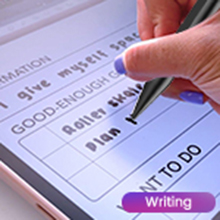
Writing
Silky smooth writing, easy to record important matters.

Working
The pen’s smooth and flexible touch control allows you to respond more quickly to the key points of your work module, speeding up the progress of work.

Drawing
Drawing beautiful lines and create your favorite images.
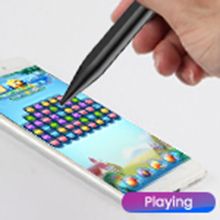
Playing
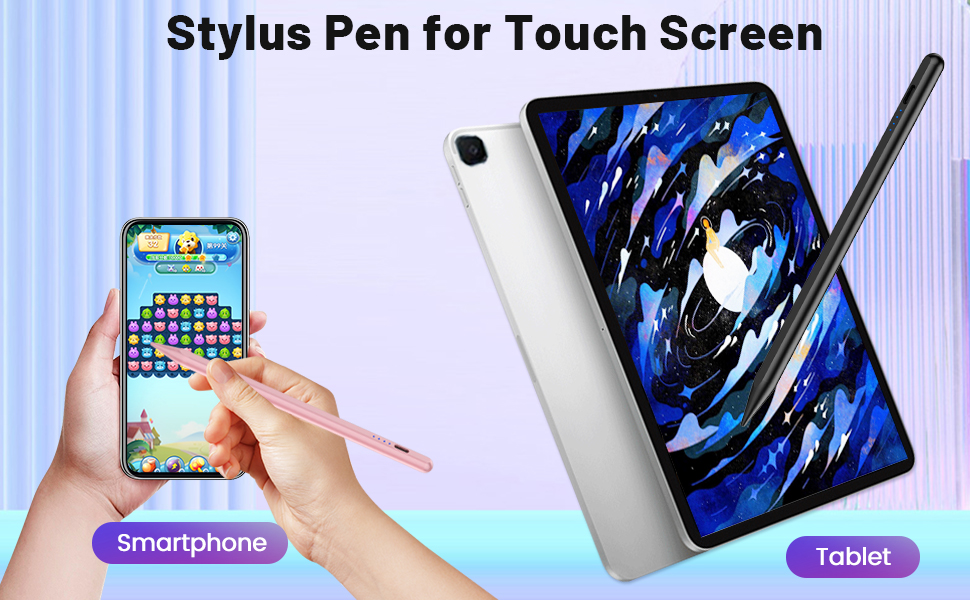
Using this pen to play games such as Connect the Dots, Fruit Ninja, etc., no less than playing with your fingers.
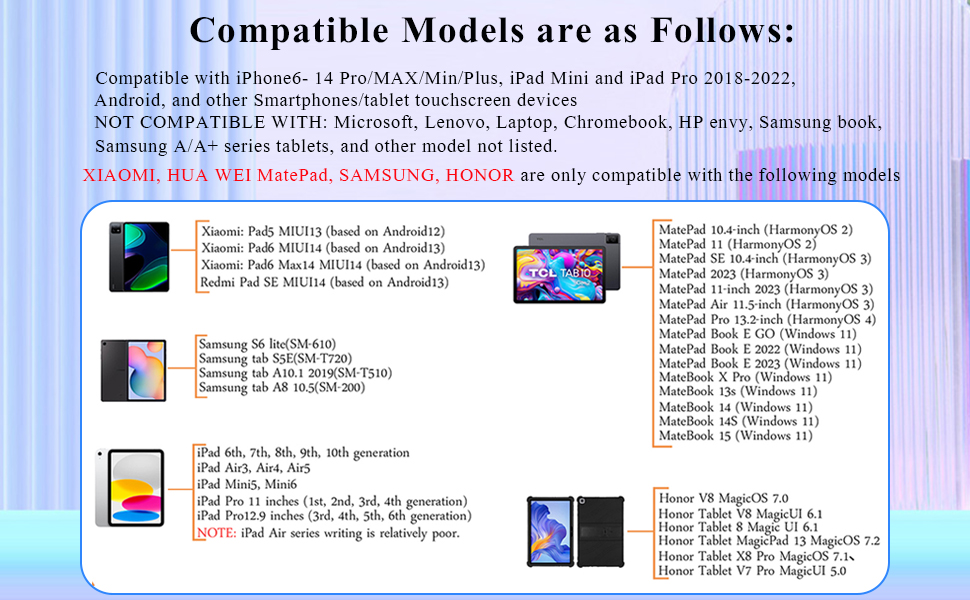
Note: It does not support MPP systems.
There are also tablets that come with specific designated pens, and electromagnetic screens are not supported.
If the original pen is connected or the writing settings of the tablet software are incorrect, the situation will be reversed and unable to write.
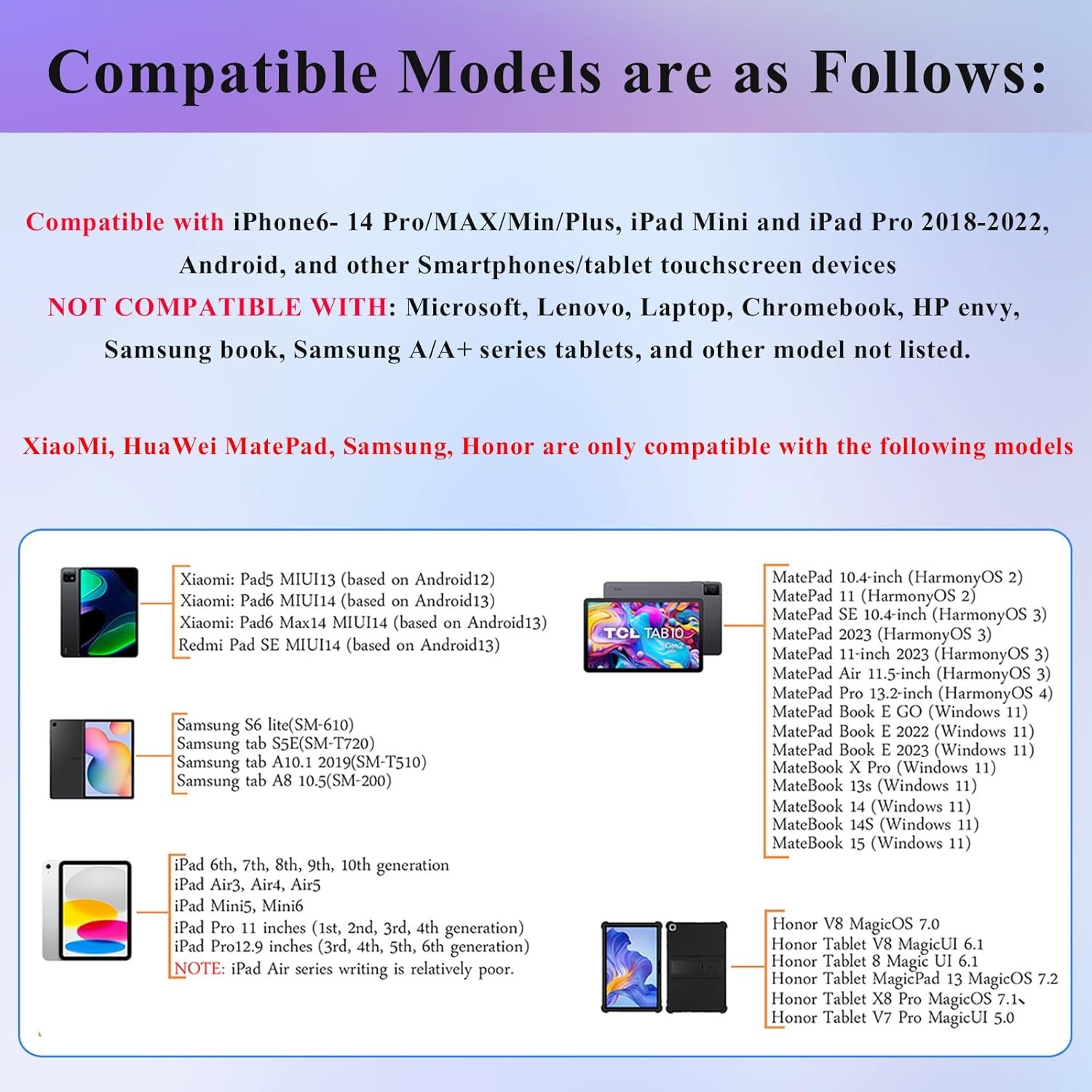
Compatible Models are as Follows:
Xiaomi tablet: Pad5 MIUI13 (based on Android12), Pad6 MIUI14 (based on Android13), Pad6 Max14 MIUI14 (based on Android13), Redmi Pad SE MIUI14 (based on Android13)
Huawei tablet: MatePad 10.4-inch HarmonyOS 2, MatePad 11 HarmonyOS 2, MatePad SE 10.4-inch HarmonyOS 3, MatePad 2023 HarmonyOS 3, MatePad 11-inch 2023 HarmonyOS 3, MatePad Air 11.5-inch HarmonyOS 3, MatePad Pro 13.2-inch HarmonyOS 4, MatePad Book E GO (Windows 11), MatePad Book E 2022 (Windows 11), MatePad Book E 2023 (Windows 11), MateBook X Pro (Windows 11), MateBook 13s (Windows 11), MateBook 14 (Windows 11), MateBook 14S (Windows 11), MateBook 15 (Windows 11),
Honor: Honor V8 MagicOS 7.0, Honor Tablet V8 MagicUI 6.1, Honor Tablet 8 Magic UI 6.1, Honor Tablet MagicPad 13 MagicOS 7.2, Honor Tablet X8 Pro MagicOS 7.1, Honor Tablet V7 Pro MagicUI 5.0
IOS: iPhone 6-14, iPad 2018-2022–iPad 6th, 7th, 8th, 9th, 10th generation, iPad Air3, Air4, Air5
iPad Mini5, Mini6, iPad Pro 11 inches (1st, 2nd, 3rd, 4th generation), iPad Pro12.9 inches (3rd, 4th, 5th, 6th generation)
Samsung tablet: Samsung S6 lite(SM-610), Samsung tab S5E(SM-T720), Samsung tab A10.1 2019(SM-T510), Samsung tab A8 10.5(SM-200)
XIAOMI: Xiaomi Learning Tablet, Xiaomi Pad 2022, Yoga Book 9i (Dual-Screen-Notebook), YOGA Air14s (Notebook)
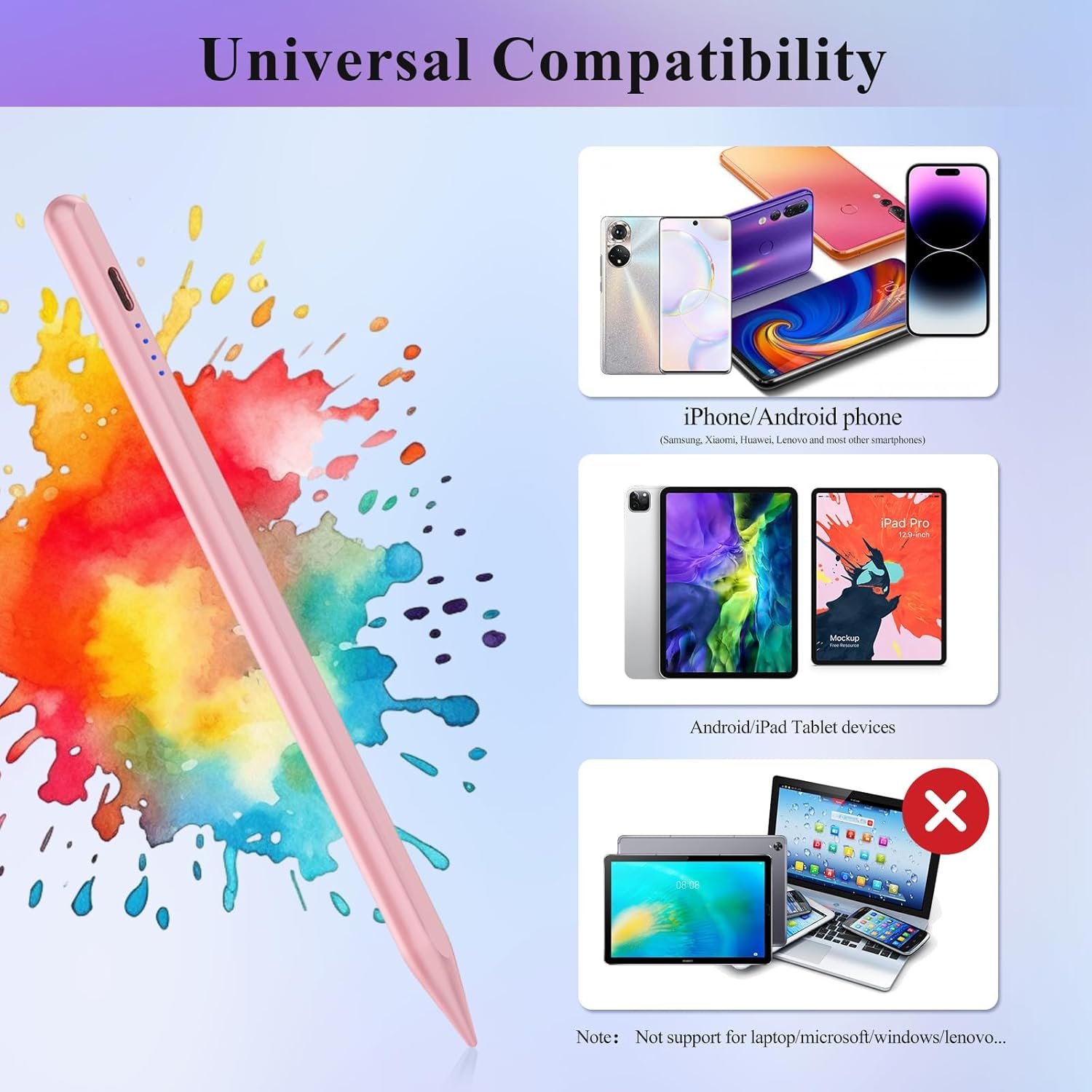
NOTE 1: NOT COMPATIBLE WITH: Microsoft,Lenovo, laptop, Chromebook, hp envy, Samsung book, Samsung A/A+ series tablet, and other model not listed
NOTE 2: our stylus is compatible with most Android devices on the market, and some Samsung devices. Some special devices or devices with their own proprietary protocols may have poor compatibility, It is not compatible with all devices.
Some APP Settings
Doesn’t work on Notability? Please try to set up your iPad as follows: info—>Apple Pencil—>Disconnect—>Start writing to connect Doesn’t work on Noteshelf? Please try to set up your iPad as follows:Setting—>Stylus—>Enable Doesn’t work on Goodnotes? Please try to set up your iPad as follows: Stylus&Palm rejection—>Smart Stytus—>None Doesn’t work on Notes? Please try to set up your iPad as follows: Setting—>Draw with finger Can’t write in Procreate? Please try to set up your iPad as follows:Setting—> Gesture controls—>General—>Disable Touch actions (Disconnect the Bluetooth connection between the active pen/Apple pencil and iPad before using the stylus) Can’t write in Sketches? Please try to set up your iPad as follows:Setting—>Stylus—>Enable(Disconnect the Bluetooth connection between the active pen/Apple pencil and iPad before using the stylus) Can’t write in Sketchbook? -Please try to set up your iPad as follows:Setting—>Preferences—>Pen Connection—>Pen—>None(Disconnect the Bluetooth connection between the active pen/Apple pencil and iPad before using the stylus) Can’t write in Vectornator? Please try to set up your iPad as follows: Setting—>Input—>Draw only with pencil(Disconnect the Bluetooth connection between the active pen/Apple pencil and iPad before using the stylus) Can’t write in Onenote? Please try to set up your iPad as follows: Draw—>Drawing Mode—>Draw with touch(Disconnect the Bluetooth connection between the active pen/Apple pencil and iPad before using the stylus) S-Note on Samsung [┆] icon in the upper right corner—>“Settings”—> turn off “S Pen Mode only” Jnotes/ Yun-Note on Huawei [┆] icon in the upper right corner —>“Settings”—> open “Finger writing”, and then select a pen/brush to write. Accessibility functions Quick launch and gestures —>Screen capture and screen recording (Screen capture (knuckle/three-finger slide) and screen recording must be turned off, otherwise it will affect the misoperation of the software)
【Note】Basic touch pen desined for general use, simulating the effect of finger writing. ✖ NOT support palm rejection: won’t write when your hands touched on the screen ✖ NOT pressure-sensitive, Not as accurate as Apple Pencil or S pen
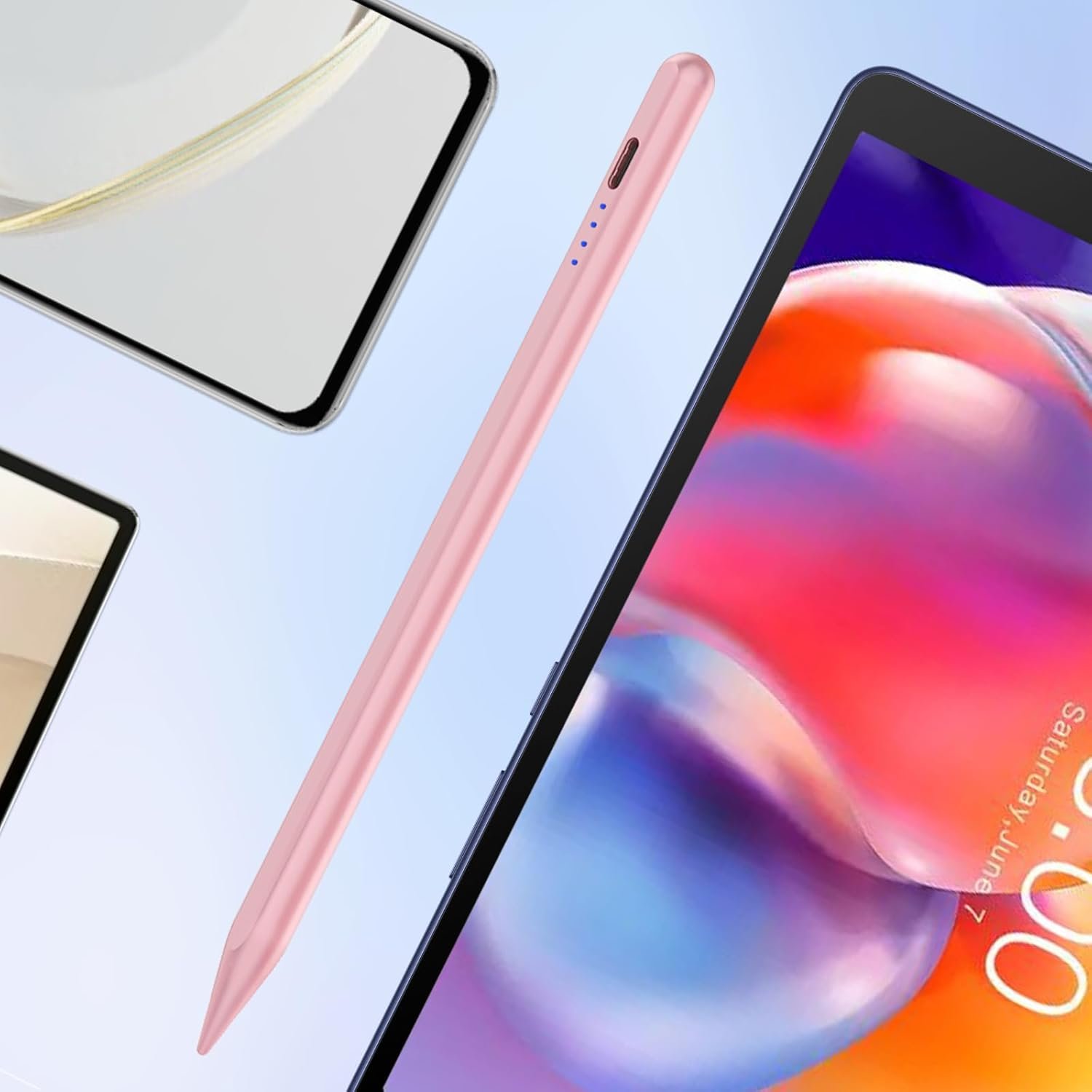
【Widely Compatibility】This Stylus Pen for iPad is a versatile active stylus pencil designed to enhance your experience with touchscreen devices. This smart pen is Compatible with most models of iPad (2018-2022)Pro/Air/Mini, iPhone, Samsung, Huawei, Xiaomi, and other Android smartphone & tablet. NOTE: NOT COMPATIBLE WITH: Microsoft,Lenovo, laptop, Chromebook, hp envy, Samsung book, Samsung A/A+ series tablet, and other model not listed
【Smart Switch & Easy to Use】CMARS stylus for iPhone is smart and easy to use, the switch to use just double-click the top of the iPhone stylus, the stylus highlight will tell you whether stylus pen for iPhone is in use or not. It does not have bluetooth function, no bluetooth connection, just double-click to turn on your smartphone or tablet device to draw and write.
【Fast Charging and Longer Usage Time】Another notable feature of this Samsung stylus pen is that it charges quickly and lasts a long time for use. Charging about 30 mins, you can use 8-10 hours. With such fast charging and long battery life, this android pen can ensure that you can work or play for a long time, and we believe this will enhance your using experience. Our pens with stylus tips has four replaceable nibs, so if the original nib is damaged, it can be replaced in time.
【Battery Level Indication Function】The ipad pencil power indication function is divided into four levels, with all four dots displaying a blue light when fully charged, at which point the battery is at 75%-100%, while three flashing blue lights represent a battery of 50%-75%, and so on down the line. When the tablet pens for touch screen only flashes a blue light indicates that the power is insufficient, should be charged in a timely manner to ensure that the back of a long time to use. In addition, our stylus is equipped with an automatic power saving function, five minutes without use, it will automatically shut down to save power.
【Magnetic Absorption】 Magnetic absorption is one of the important features of this tablet pen, maybe some people have experienced not being able to find the pencil when they want to use it, this stylus pen with magnetic attraction can be attached to the side of your device, reducing the possibility of losing or not being able to find the tablet stylus pen.
【What You Get】1* CMARS ipad pen, 1* User Manual , 1* Type-C USB Charging Cable, 4 Replacement Tips–keep extra tips for your pencil at the ready
【After-Sales】 Support worry-free warranty, 30 days free return, 1 year replacement/refund for manufacturer defective items


![[2025 New Version] Kulukulu Vacuum Sealer Set, Portable Cordless Vacuu…](https://i0.wp.com/m.media-amazon.com/images/I/71M2BmJ6UEL._AC_SL1500_.jpg?w=768&resize=768,0&ssl=1 "[2025 New Version] Kulukulu Vacuum Sealer Set, Portable Cordless Vacuu…")
Reviews
Clear filtersThere are no reviews yet.